Animations
Andrew Pareles (@Kubester)
When building Kube.new, it was completely up to us to decide how you should be able to animate objects. This blog is about how we designed our animation system.
Skeleton Animators
In most places online, people animate characters using Skeletons. Skeletons are essentially just collections of points you move around. Your character follows the points in the skeleton.
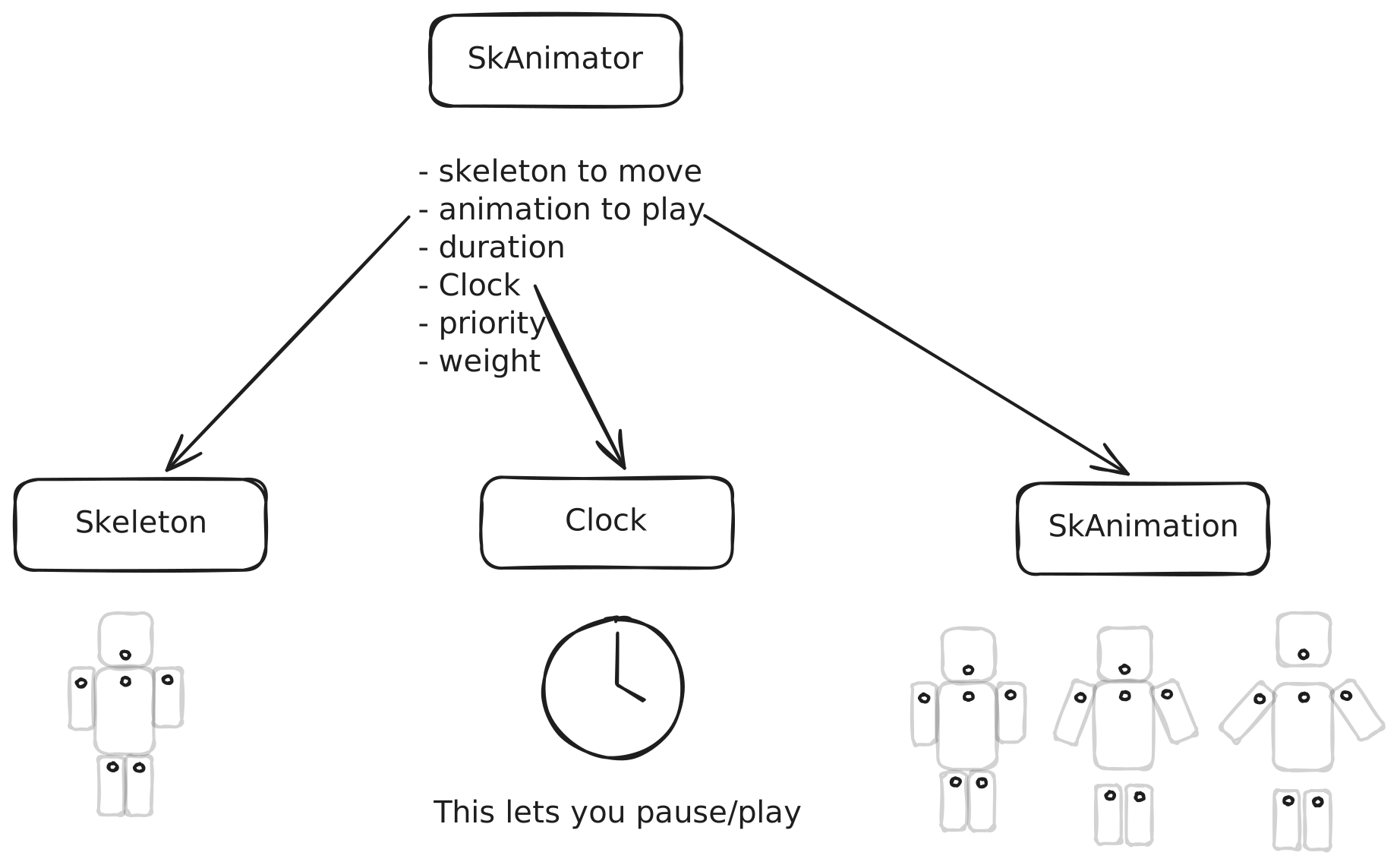
So we created a Skeleton animator - an object that simply moves around a Skeleton. It points to three objects: 1. the Skeleton it should animate, 2. the animation to play, and 3. a Clock object that lets you start and stop it.
Here's what it looks like: (And here it is in our API: SkAnimator)
All we need next is a way to attach an object to that Skeleton to move along with it. We did that by adding the SkAttachment type which lets you "glue" items onto the Skeleton.
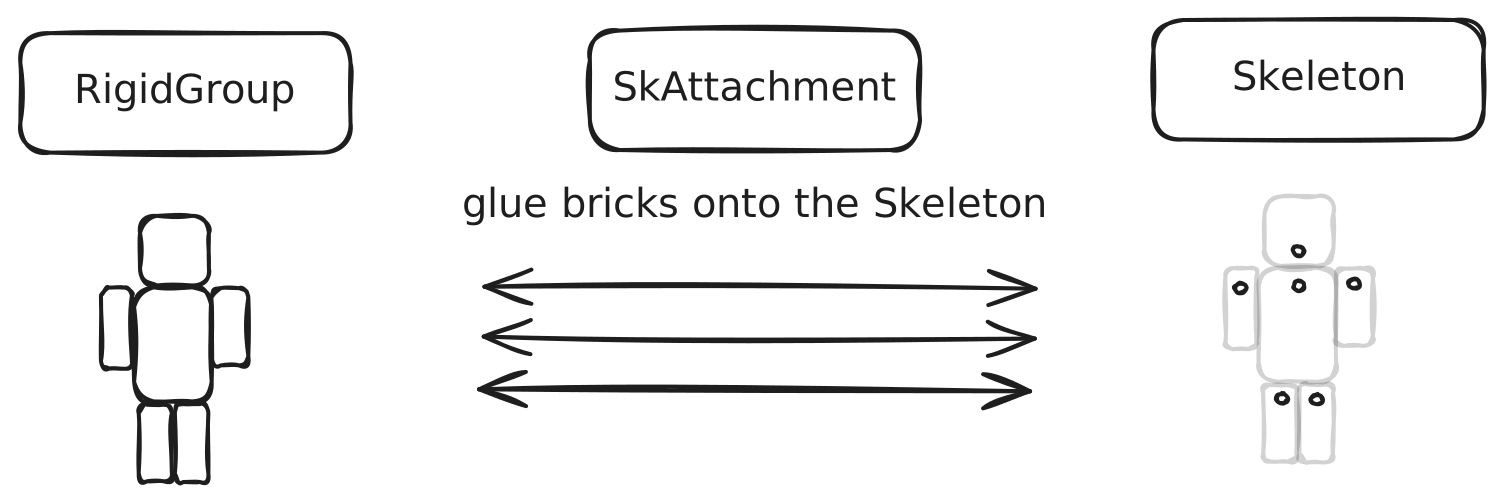
We were happy to find the AI responds well to this format! Specifically Claude. AI has seen millions of Blender files online. Our implementation is based directly on GLTF files, which are the open source standard for storing skinned meshes (skeleton-based). This format is clearly similar enough to our implementation to have some transfer.
Property Animators
We also wanted to support general animation, not just animation based on a Skeleton.
To do this, we introduced PropertyAnimator. It is very similar to the Skeleton Animator above, except it takes in the name of any field you want to animate, instead of pointing to a Skeleton.
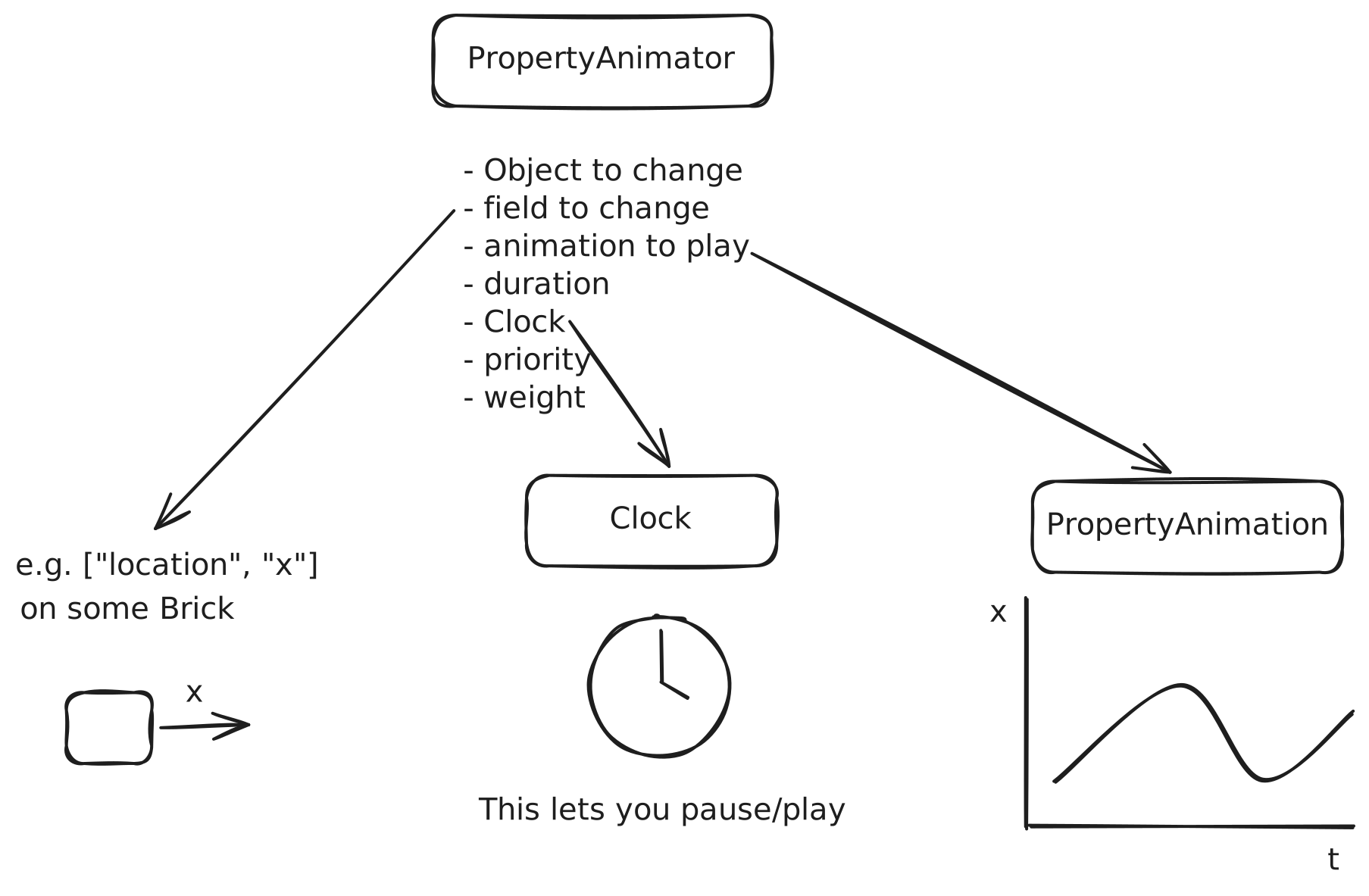
You can animate any field, as long as it's a continuous number (position, velocity, color, texture width, anything!).
You can also smoothly transition a value to a specific point. We expose tweenTo(), which creates a Tween, which is an basically just PropertyAnimator with just two keyframes, but is cheaper over the network and and deletes itself when it's done. This lets you animate position, velocity, color, etc.
Blending
In order to deal with multiple animations on the same object (like Walking, Jumping, Idle on one character), we let each animator specify a priority and weight field. The animations are blended naturally in order of priority, until the total weight reaches 100.
For example, if you want to smoothly transition your character from Walking to Jumping, all you need to do is have two SkAnimator objects pointing to it, and transition the Walking weight down to 0 and the Jumping weight up to 100. We expose the smoothlyChangeWeight() function in TS so that this is easier. It literally updates every frame (not just per physics tick), so transitions happen very smoothly (240fps+).
Clocks
The Clock object is used internally by both animators. It is a special timing type that lets the server and client agree exactly when the animation started/stopped. It uses timestamps under the hood, which we discussed in our Networking blog.
// Simplification:struct Clock { started_at: f32, // a timestamp clock_location: ObjectLocation, // either Server or Client should_loop: bool, speed: f32, }High Framerate
Both Animator types we discussed above are recognized by our shaders, which means they can play at very high framerates (eg 120-240fps!) instead of just 60fps, which we'd have if we just implemented animations to be on physics ticks. We always deduce the position of the Skeleton/Property per frame, not just per tick!